
First, install the companion software
Install Elgato Stream Deck
Download and install the Stream Deck software from Elgato, then open it once. You will use it again after installing Motorsport Intercom.
Official app
Motorsport Intercom
Keep your crew connected from the pit wall to the garage. Download Intercom for your device or join instantly from your browser.
Choose your setup
Select your main device for the right download and installation steps.
Windows setup
Install the two apps first, then add the Motorsport Intercom plugin to Stream Deck.
First, install the companion software
Download and install the Stream Deck software from Elgato, then open it once. You will use it again after installing Motorsport Intercom.
Windows application
The Windows download is a ZIP package. Extract the complete folder before starting the application. File names and version numbers may differ from the screenshots.
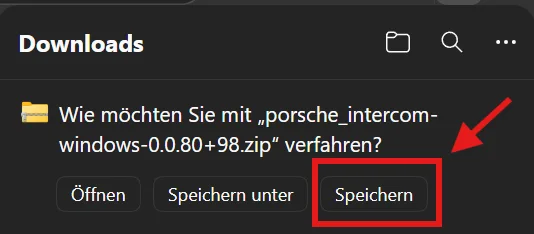
When your browser asks what to do with the download, choose Save.
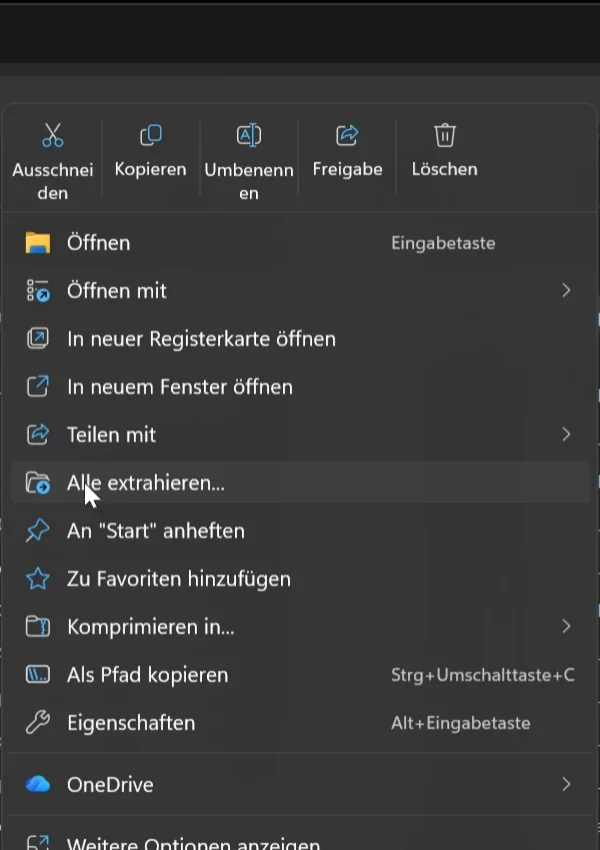
In Downloads, right-click the ZIP file and select Extract all (“Alle extrahieren…”).
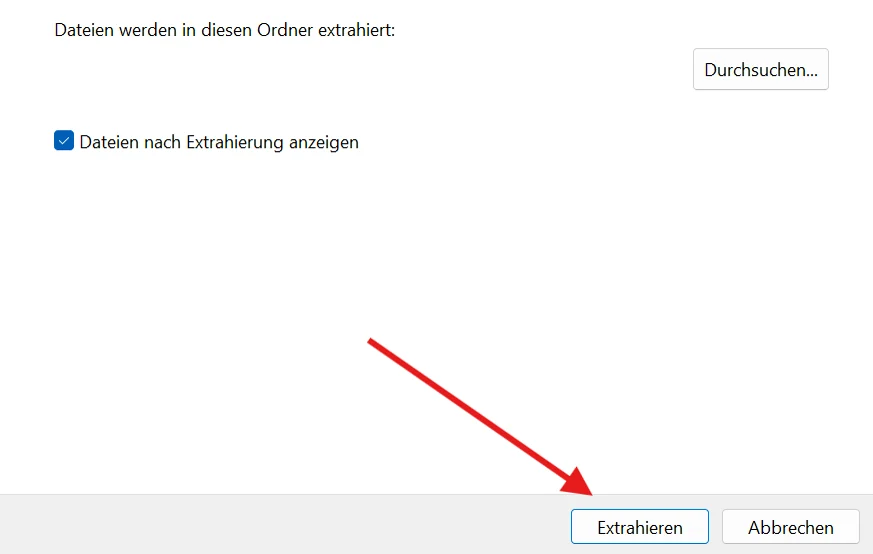
Keep the suggested folder or choose another location, then click Extract (“Extrahieren”).
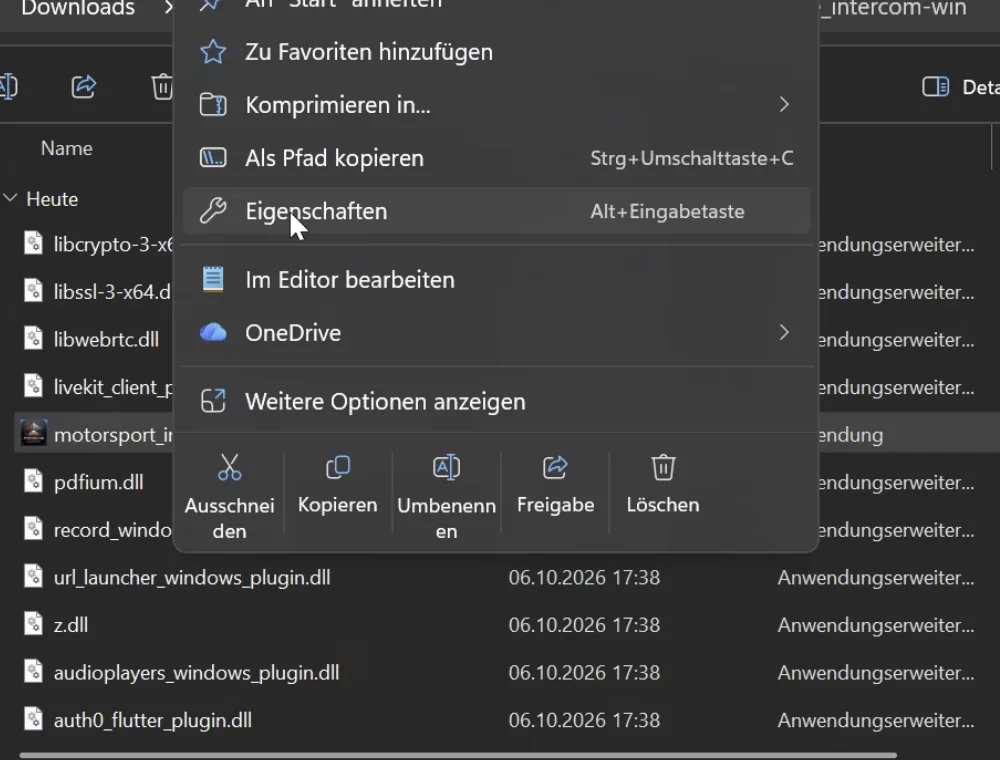
Inside the extracted folder, right-click motorsport_intercom.exe and select Properties (“Eigenschaften”).
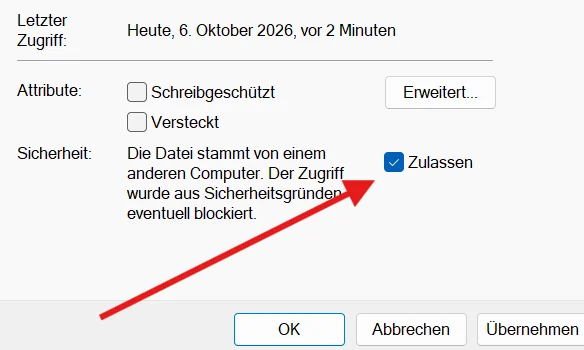
On the General tab, tick Allow (“Zulassen”) if shown, then select Apply and OK.
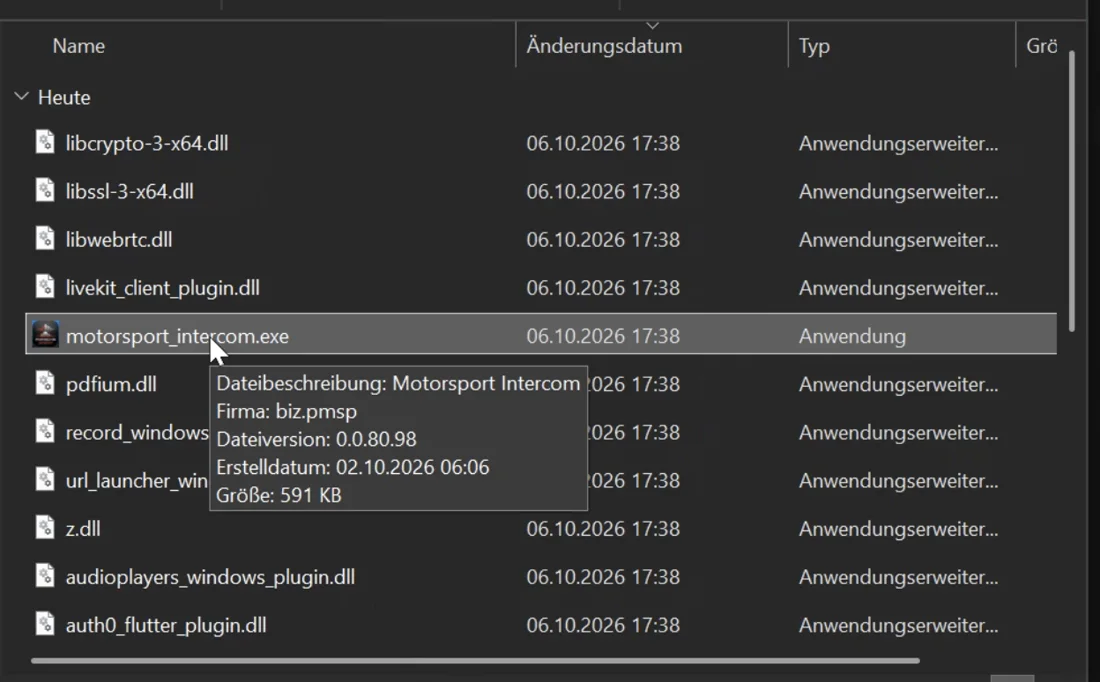
Double-click motorsport_intercom.exe. Keep the executable together with the other extracted files.
Stream Deck plugin
Install the plugin package, then place the Intercom action on your preferred Stream Deck key.
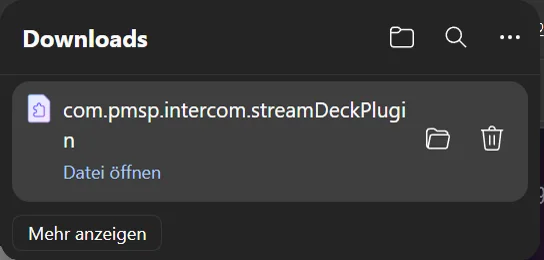
Download the .streamdeckplugin file, then choose Open file or double-click it in Downloads.
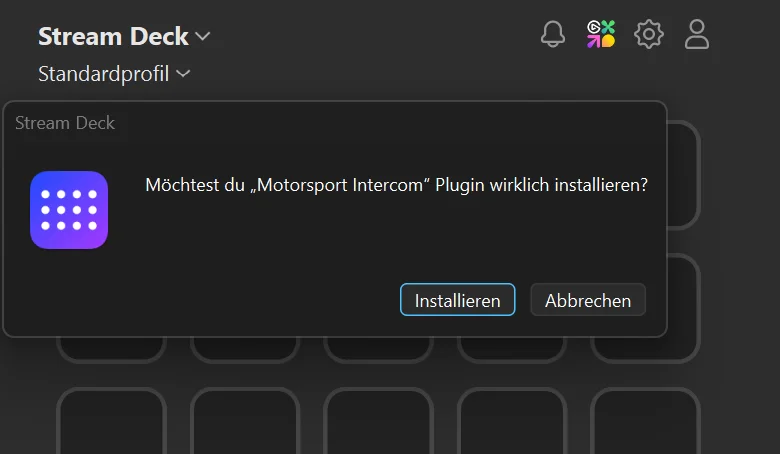
Stream Deck opens automatically. Click Install (“Installieren”) to add the plugin.
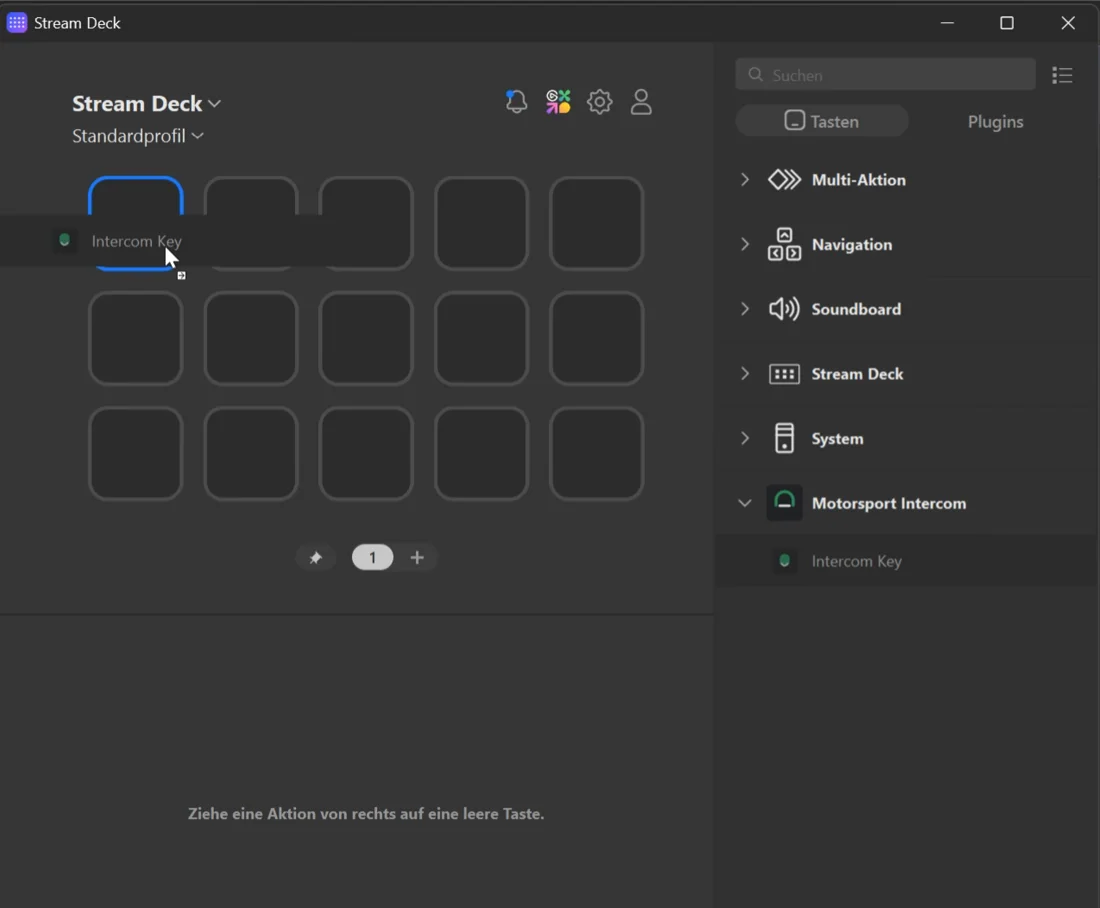
Expand Motorsport Intercom and drag Intercom Key onto an empty key.
Open Motorsport Intercom, sign in, select your headset, and assign your channels to the Stream Deck keys.
iPhone and iPad
PAG users can install Motorsport Intercom from the managed Unternehmensportal app in a few steps.
Use the managed Porsche app catalogue shown below.
The public distribution path for other users is still being prepared.
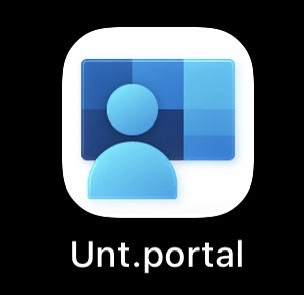
Find the Unternehmensportal app on your Porsche-managed iPhone or iPad and open it.
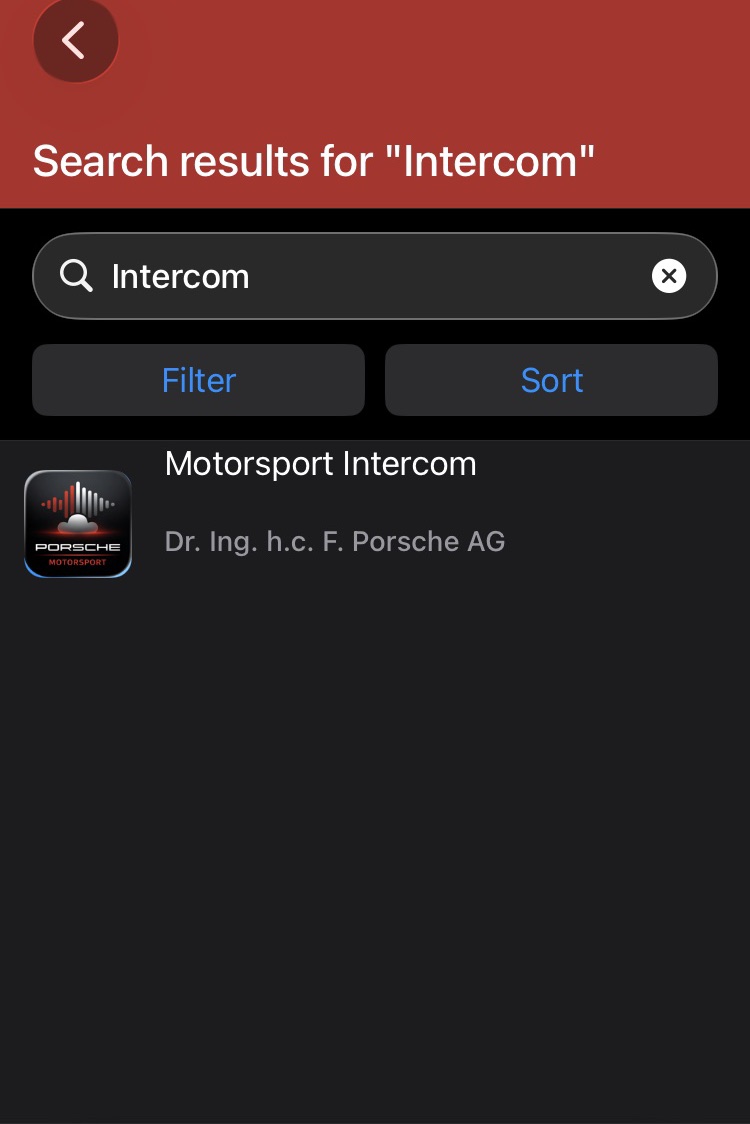
Search for Motorsport Intercom and select the result.
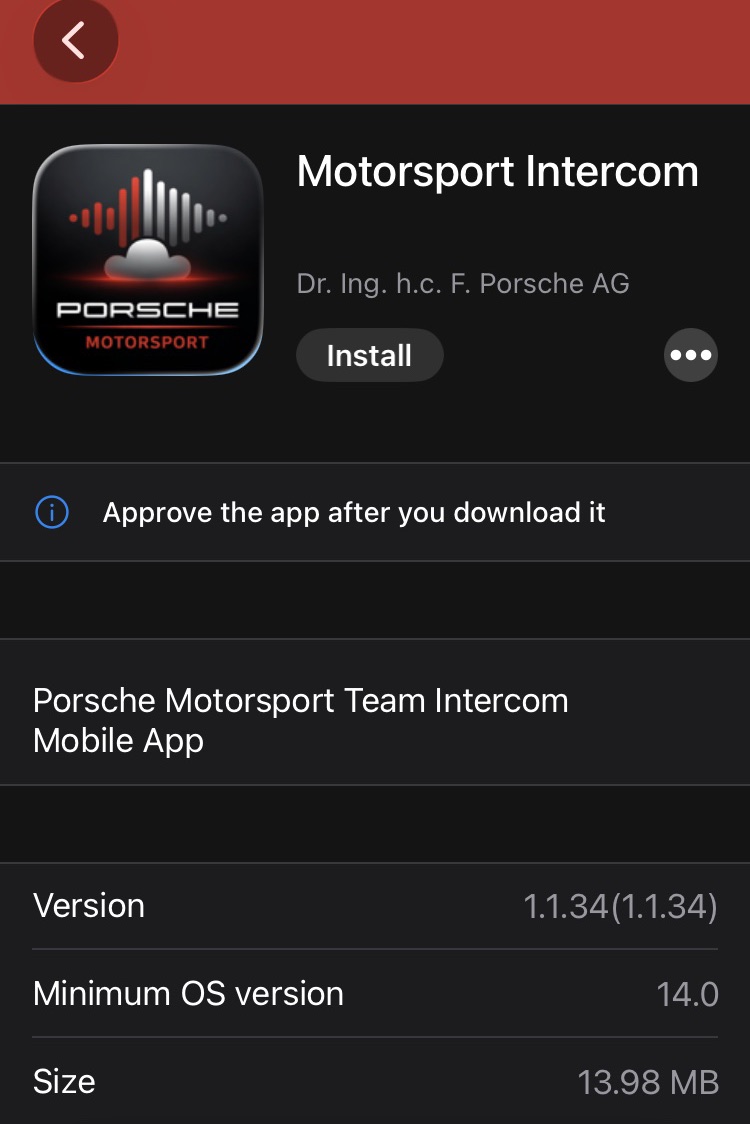
Tap Install. Unternehmensportal downloads and approves the app for you.
Open Motorsport Intercom from your home screen, sign in, and connect your headset.
macOS setup
Install the latest macOS package, open Motorsport Intercom, then sign in and select your preferred audio device.
New to Intercom?
Motorsport IT will help prepare your access and channel assignments. A self-service onboarding link is coming soon; until then, contact the team by email.
Other platforms
Alternative packages for users who already know which build they need.
Already onboarded?
Open the web app, sign in, and connect your headset.